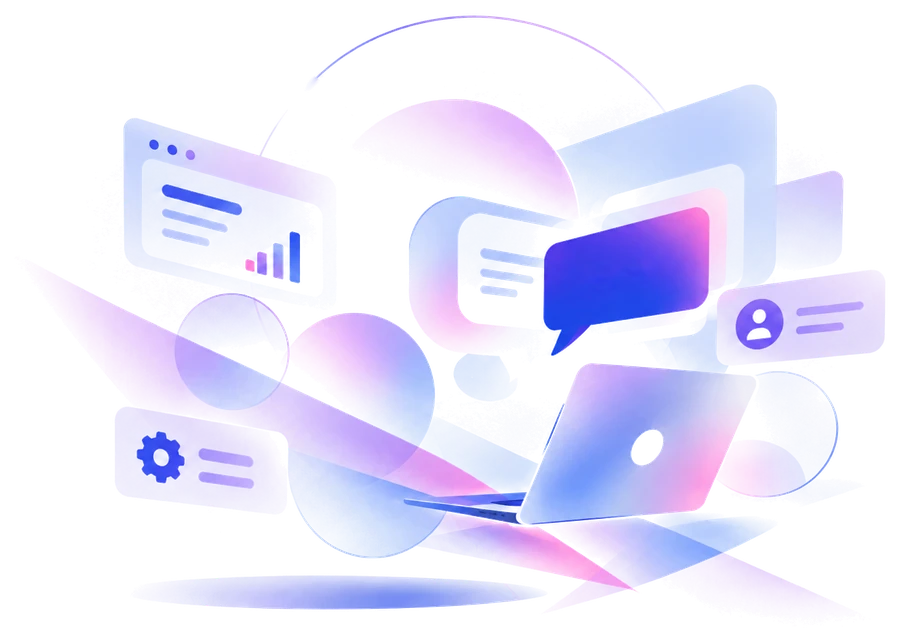
Stuck in the moment
A learner hits a question on slide 14 and the course has nowhere to send it. They search elsewhere, ask a colleague, or quit.
Learner journeySlide 14 of 32
ReadingQuestionQuits
Where do I ask this?No one to answer
Build your own AI Chatbot
Create intelligent chatbots. Turn your documents, web pages and FAQs into a chatbot that answers learners' questions, with sources, in text or voice. Shape what it knows, customize how it looks and sounds, then share it with one link or paste it on your site.
Why courses fall short?
A learner hits a question on slide 14 and the course has nowhere to send it. They search elsewhere, ask a colleague, or quit.
Your facilitators answer the same twenty questions every cohort, repeating what the material already says.
The answer exists. It just isn’t where the learner is when they need it.
LND Aura is designed to solve this problem.
Your chatbot creation workspace
Upload PDFs, Word files, text and CSVs. Add web pages and the pages they link to. Paste text or write question-and-answer pairs. It tells you when each source is learned.
Choose an information bot that answers only from what you taught it, or a general assistant in your own style. Set its name, welcome message, suggested questions, a light or dark look in one of four colours, and voice.
<script src=".../embed.js" data-bot="your-tutor">Share one link, or paste one line on your site. Try it yourself first. Switch it off any time.
Yes, once, within 7 days of your result.
Source: Assessment FAQWhat people build
Pick the job. LND Aura is the same simple builder underneath.
Sits inside the course and answers from its own modules and reference documents.
Handles the repeat questions between sessions, so facilitators teach instead of answer.
Walks new joiners through policies, tools and first-week steps.
Answers only from approved policy documents and shows which source it used.
Covers schedules, access, certificates and refunds from your support sheet.
Answers from your notes and readings, in a voice learners can listen to.
Pick the style that fits the job. You can set its name, voice and look afterwards. This choice decides how it answers.
Chats about anything, in the style you set. Your knowledge is used when it helps, but it isn’t limited to it.
Best for: coaching, role-play, brainstorming and revision buddies.
General + Info. Answers anything, and uses your own documents and pages when a question is about them.
Tokens: about 3.1K tokens per answer.
Answers only from what you teach it, and says so when it doesn’t know. It shows the source behind every answer.
Best for: course support, FAQs, policies and compliance.
For your learners
Learners can type a question or speak it, and hear the answer read aloud in one of four voices. A glowing orb shows when the bot is listening, thinking and speaking, so there’s never any doubt about what it’s doing.
Shape the experience
Give every chatbot its own identity and make the interaction feel appropriate for the people who will use it.
For course owners
Know how it is used, fix what the bot can’t answer, and cap what you spend.
Results show answers given, voice used and tokens spent. A list of unanswered questions shows exactly what to add next.
Set a token budget and a daily limit for each bot. When the budget runs out, the bot tells learners it’s unavailable and nothing else is charged.
Decide whether learners can send their own files and pictures, or only chat.
Add your Gemini, OpenAI or Anthropic key and answers cost no tokens. Your key is checked on save, stored encrypted, and shown again only after you re-enter your password.
Switch any bot off whenever you need to, for example between cohorts.
A short tour, a four-step checklist on every bot, and a screenshot guide for computer and phone.
Most bots are better in week two than week one, because the unanswered-questions list tells you what to teach next.
Read the step-by-step guidePricing
One subscription covers every LND builder. Plans decide how many bots and how much knowledge you can keep. Tokens pay for what learners do with them. Teams can ask for Enterprise.
A token is the one unit of use: a typed answer costs about 1.1K, and voice, files and teaching cost more.
$0 for 3 days
Try all four builders, with limits. It ends after 3 days.
$588$49 / month
Billed monthly. Cancel anytime.
$999 one time
Pay once. Limited to the first 100 customers.
Let's talk
One agreement for every LND builder, sized to your team.
Prices are in US dollars; taxes are added at checkout where they apply. Plan changes are in test mode for now: nothing is charged yet.
With your own AI key, answers cost no tokens.
Four voices
Press play. These are real samples of the voices your bot can speak with, and the orb ripples to each one.
Voices are Google's, in two quality levels: Standard (160 tokens per character spoken) and HD (300). Listening to a visitor costs 60K tokens for every 15 seconds of speech.
Questions
Create a free account, make a bot, teach it your documents or web pages, and share its link. Visitors chat with it without an account, and your tokens pay for what they do. See the step-by-step guide.
You do, with tokens, up to the budget you set for that bot. When it is used up the bot tells visitors it is unavailable, and nothing else is charged. If you add your own AI key, answers cost no tokens and the AI provider bills you directly.
PDF, Word (.docx), text, Markdown, CSV and HTML files up to 3 MB each, public web pages (and, if you choose, pages they link to on the same site), pasted text, and lists of questions and answers.
Yes, like any AI. An information bot answers only from what you taught it and says so when it cannot find the answer, and it shows which sources it used so people can check. Keep your knowledge up to date, and use the list of unanswered questions to see what is missing.
Yes, for 3 days. The free plan gives you every builder with limits: one shared bot, five knowledge sources and 4M starter tokens. It has no backups, and your work is not kept after the trial unless you upgrade to Pro or Lifetime before it ends.
One plan covers all four LND builders: LND Aura (chatbots), LND Infinity (courses), LND SimLab (scenarios) and LND Motion (interactive motion graphics in JavaScript). The free 3-day trial, Pro and Lifetime all give access to every one of them.
Monthly is $49 a month. Yearly is $489 a year, which saves you $99 compared with paying monthly, about 2 months free. Lifetime is a single payment of $999 and is limited to the first 100 customers. Pro and Lifetime include the same features, and both include backups.
A custom plan for teams that want every LND builder under one agreement: tokens sized to your team, as many bots and as much knowledge as you need, your own look and web address, invoice billing and priority support. Get in touch and we will set it up with you.
Only when you choose it. It is never added to an account automatically, and it closes once the first 100 customers have taken it.
You stay in charge of your bots and what they say. Visitors’ chats are visible to you as the course owner, so you can see what learners ask and what to teach next.
Only if you allow it in the bot's settings. When they do, the bot can read text in a screenshot, explain a chart or describe a photo. It is good at reading and describing, and can miscount small details. An answer about a file costs about 4,600 tokens.
English today. More languages are possible later, since the voices and the AI support many.
Yes. The shared page and the floating window both fit a phone screen, and you can manage your bots from a phone too.
The name, voice, look (light or dark, in one of four colours) and welcome message are all settings. For a fully branded version, get in touch with LearnNDev.
Teach it your documents, give it a voice, and share one link.